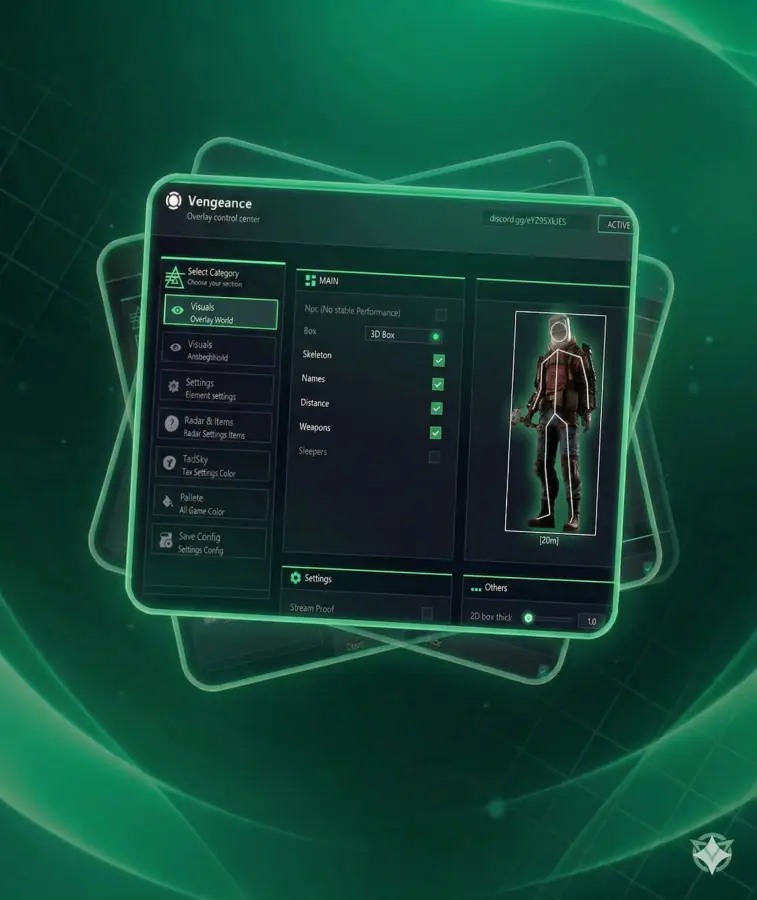
Looking for a reliable and easy-to-use cheat for Rust? Meet Vengeance Lite, the simplified version of the well-known Vengeance cheat, available exclusively at.
Vengeance Lite keeps only the core features that every Rust player needs for confident gameplay:
• Essential ESP — player names, distance, weapons, sleepers and more.
• Lightweight setup — no complicated menus, just the tools that work.
• Stable and safe — 100% secure, free from viruses and undetected by anti-cheat.
• Affordable price — get the main advantages of Vengeance at a lower cost.
Vengeance Lite is perfect for those who want simplicity, safety, and efficiency. No distractions, no unnecessary features — just the functions that help you dominate Rust.
Buy Vengeance Lite today on and take your Rust gameplay to the next level with a lightweight but powerful tool.
VISUALS
• NPC — Display non-player characters (bots, mutants, animals)
• Box Type — Frame style selection (None, Fill Box)
• Bone — Show enemy skeleton
• Names — Show player nicknames
• Distance — Show distance in meters
• Weapons — Show weapon in enemy’s hands
• Sleepers — Highlight inactive/sleeping players
MISC
• Debug Camera (Safe on FacePunch) — Free view camera
• Remove Layers — Hide specific map layers
• Remove Constructions — Hide walls, doors (illegitimate)
• Remove Water — Hide or make water transparent
• Remove Terrain — Hide grass, stones for visibility
• Remove Layers Keybind — Hotkey for quick toggle
• Crosshair — Static crosshair in the center
ITEMS
• Food — Highlight food
• Transport — Highlight vehicles
• Important — Highlight minerals, components
• Nature — Highlight trees, stones
• Animals — Highlight animals
• Trap — Highlight traps
• House — Highlight containers and boxes
• Items Dist — Maximum item render distance
• Traps Dist — Maximum trap render distance
PALETTE
• Color Name — Player nickname color
• Color Distance — Distance text color
• Color 2D Box — 2D frame color
• Color Team — Team color
• Color Weapons — Weapon name color
• Color Wounded — Wounded enemy color
• Color Crosshair — Crosshair color
CONFIG
• Save Config — Save current settings
• Load/Unload — Load or unload config