All morning, all day, and even all night – this is our time.
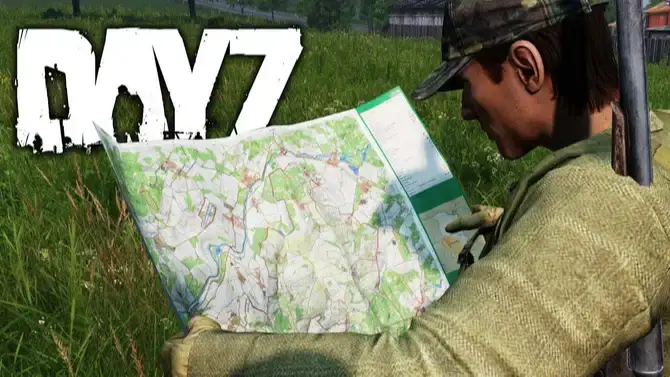
The world of DayZ opens its doors to us, but only those who see the entire map truly control the situation. Introducing – RADAR Cheat for DayZ!
Dive deeper into the game than ever before! With our private radar, you'll stay ahead of every move: from players to zombies, from valuable loot to animals. Stay one step ahead and navigate the wasteland with confidence!
Every detail matters. RADAR Cheat gives you a full arsenal of features, allowing you to gather resources, craft items, and upgrade your skills. From clothing to weapons, from medicine to vehicles – everything is under your control.
Take control of the game! Don’t miss a moment and never let the situation catch you off guard. RADAR Cheat for DayZ is your ultimate survival partner. Conquer the world without limits!
Select Map
• Chernarus
• Livonia
• Sakhal
• Alteria
• Anastara
• Arsteinen
• Banov
• Bitterroot
• Chiemsee
• Deadfall
• Deerisle
• Esseker
• Iztek
• Hashima Islands
• Melkart
• Namalsk
• NH Chernobyl
• NukeZZone
• Onforin
• PNW
• Pripyat
• ROS
• Rostow
• Takistan
• Valning
• Vela
• Vis Island
• Yipirit
Player
• Enable player display on the map
• Enable player name display
• Hide dead players
• Auto-follow local player on the map
• Map zoom level for auto-follow
• Adjust player icon size
• Adjust player text font size
• Adjust player icon color
• Adjust player text color
• Adjust local player icon color
• Adjust local player text color
• Adjust dead player icon and text color
Zombie
• Enable zombie display on the map
• Enable zombie name display
• Hide dead zombies
• Adjust zombie icon size
• Adjust zombie text font size
• Adjust zombie icon color
• Adjust zombie text color
• Adjust dead zombie icon and text color
Car
• Enable car display on the map
• Enable car name display
• Hide destroyed cars
• Adjust car icon size
• Adjust car text font size
• Adjust car icon color
• Adjust car text color
• Adjust destroyed car icon and text color
Animal
• Enable animal display on the map
• Enable animal name display
• Hide dead animals
• Adjust animal icon size
• Adjust animal text font size
• Adjust animal icon color
• Adjust animal text color
• Adjust dead animal icon and text color
Loot
• Enable loot display on the map
• Enable loot name display
• Adjust loot icon size
• Adjust loot text font size
• Enable clothing display / Adjust clothing icon and text color
• Enable food display / Adjust food icon and text color
• Enable weapon display / Adjust weapon icon and text color
• Enable ammunition display / Adjust ammunition icon and text color
• Enable attachments display / Adjust attachments icon and text color
• Enable medical items display / Adjust medical icon and text color
• Enable vehicle parts display / Adjust vehicle parts icon and text color
• Enable tools display / Adjust tools icon and text color
• Enable crafting items display / Adjust crafting icon and text color
• Enable containers display (crates, boxes, etc.) / Adjust container icon and text color
• Enable other loot display (uncategorized mod items) / Adjust other loot icon and text color
Save Settings
• Save menu settings