Day R Bot — Full Control Over Your Survival
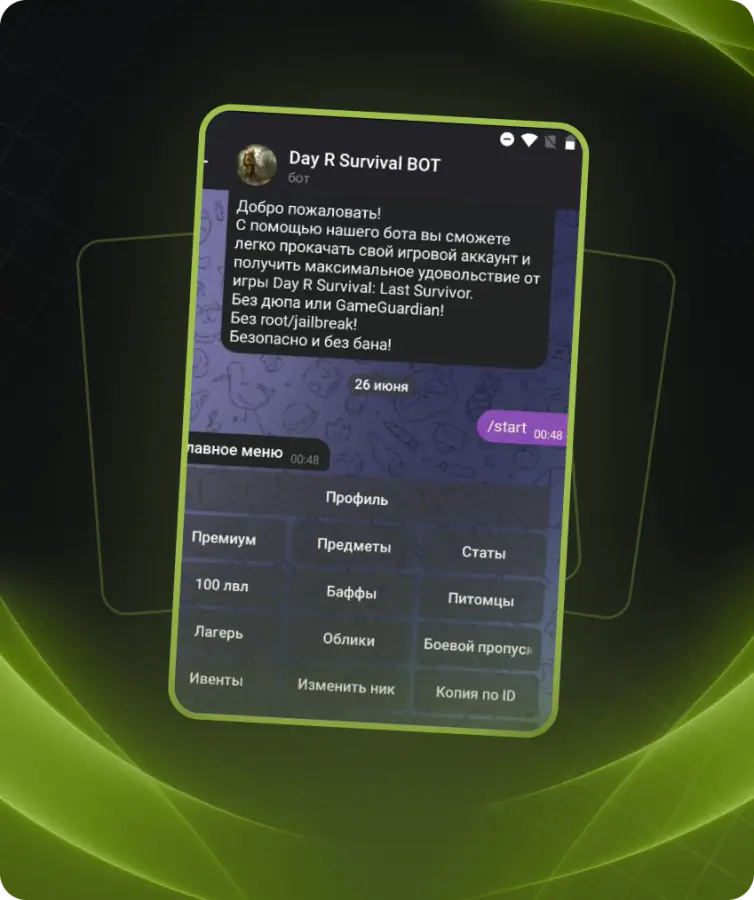
Unlock ultimate power in Day R with the exclusive bot available at. Instantly receive any item, boost your character to level 100, max out your camp and pets, and activate premium mode permanently — all without root access or complex setup.
Key Features:
• Instantly add any item, currency, or weapon to your inventory
• Modify stats: health, hunger, thirst, energy
• Level up your character to 100 in one click
• Unlock all buffs for 10 years
• Fully upgrade your camp and all pets
• Copy any account by username or user ID
• Change nickname without limits, even with emojis and symbols
• Rollback any action in case of mistakes
• Supports Android and iOS
Compatible with all game versions, including legacy ones. The bot works via Telegram and includes access to a full item database and advanced delivery system.
PREMIUM
• Activate permanent premium mode. Wipe game data or reinstall the app before activation.
ITEMS
• Add any items, caps, skill points, or event currency to your inventory.
• Use this format: item-amount|item-amount, e.g. caps-15000|belaz-1|mosin_ammo-1000.
• Build your list here: https://items.diexievie.com/builder_en.php
• Full item list: https://items.diexievie.com/_itemListEN.js
STATS
• Edit your stats: health, hunger, thirst, energy (1 to 1,000,000).
LEVEL 100
• Instantly upgrade your character to level 100.
BUFFS
• Apply all possible buffs for 10 years.
PETS
• Max out all your pets.
CAMP
• Max out your entire camp.
BATTLE PASS
• Activate the battle pass for the Contraband event.
EVENTS
• Level up New Year and Halloween events to level 10.
CHANGE NICKNAME
• Change your nickname without limits. Symbols and emojis supported.
COPY BY ID
• Clone any account using USER ID and SLOT ID.
COPY BY NICKNAME
• Clone any account by in-game nickname.
ROLLBACK
• Cancel any previous operation and restore your original account.
• Preparation (Before Using the Bot):
ANDROID:
• Always wipe game data before use:
• Settings → Apps → Day R → Storage → Clear Data
• Or uninstall and reinstall the game.
IPHONE:
• Always delete the game before use, then reinstall after all operations.
• Alternative Method (for old versions or faster setup):
• Drop any item on the ground
• Go to main menu (Pause → Main Menu)
• Press “Continue”
• Fully close the app (not minimize — close it)
• Perform desired bot operations
• Launch the game
• Return to the main menu
• Press “Continue”
• Common Issue:
• If nothing changes or progress resets — the game may not load server save properly.
Solutions:
• Use VPN to log in
• Enable proxy in game settings
• Update the game to the latest version