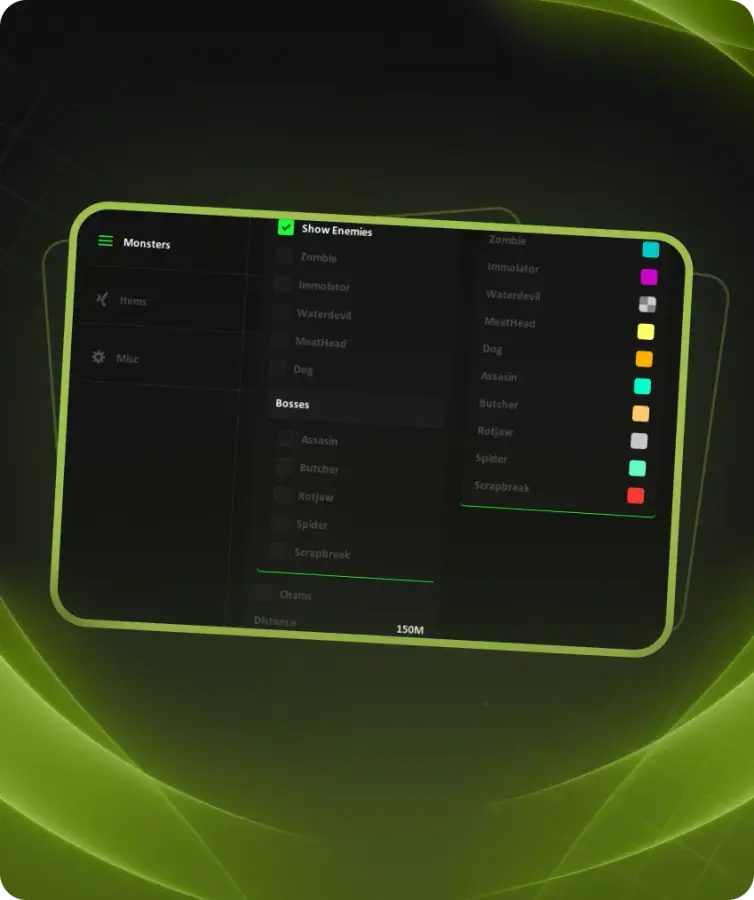
Pussycat for Once Human is a private cheat featuring Aimbot, Player ESP, Entity ESP and extensive World ESP. Its functionality provides additional information about players, creatures, resources and various objects across the game world.
The Aimbot supports targeting both players and entities. Aimbot Key, Hitbox, Smoothness, Max Distance and FOV can be customized, with additional options for displaying the FOV area on screen.
Player ESP includes Boxes, Snaplines, Skeleton, Names, Animation and Held Weapon information. A separate Entity ESP supports Animals, Aberrants, Bosses, Bots and Deviants with customizable distance and display styles.
World ESP covers a wide range of objects and resources, including Chests, Containers, Rift Anchors, Teleports, Puzzles, Berries, Stones, Mushrooms, Ores, Loot, Vehicles, Stardust and other world elements.
The built-in Radar provides adjustable position, size and range. Additional options include Crosshair, separate font sizes for Players, Entities and World ESP, as well as configuration saving and loading.
Buy private Pussycat cheat for Once Human at. Check the current product status, system requirements and instructions before use.
Aimbot
• Enable Aimbot
• Aimbot Key
• Aimbot Hitbox
• Aim Players
• Aim Entities
• Smooth
• Smooth Amount
• Max Distance
FOV
• Draw FOV
• Filled FOV
• Aimbot FOV
Entity ESP
• Show Entities
• Draw Box
• Snaplines
• Names
• Animation
• Held Weapon
• Radar
Entity ESP Settings
• Box Style
• Snaplines Style
• Animals
• Aberrants
• Bosses
• Bots
• Deviants
• Distance
Player ESP
• Show Players
• Draw Box
• Snaplines
• Skeleton
• Names
• Animation
• Held Weapon
• Radar
Player ESP Settings
• Box Style
• Snaplines Style
• Display Your Player
• Ignore Dead
• Distance
World ESP
• Show World [F3]
• Distance
• Names
• Size
• Radar
• Chests
• Interactions
• Containers
• Rift Anchors
• Teleports
• Puzzles
• Harvest
• Berries
• Stones
• Mushrooms
• Ores
World More
• Lore
• Fishing
• Facility
• Stardust
• Particles
• Loot
• Vehicles
Radar
• Enable Radar
• Position X
• Position Y
• Size
• Radar Range
Font Settings
• Entity Font Size
• Player Font Size
• World Font Size
Crosshair
• Enable Crosshair
• Thickness
• Size
Config
• Lock Overlay FPS
• Save Config
• Load Config
• Unload Software
• Menu Key