Все утро, весь день и даже всю ночь – это наше время.
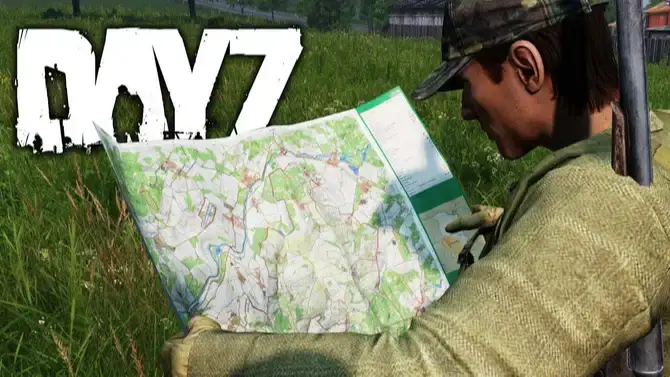
Мир DayZ открывает нам свои двери, но по-настоящему контролировать ситуацию могут только те, кто видит всю карту. Представляем — RADAR Cheat для DayZ!
Погрузитесь в игру глубже, чем когда-либо прежде! С нашим частным радаром вы будете на шаг впереди всех: от игроков до зомби, от ценной добычи до животных. Будьте на шаг впереди и уверенно перемещайтесь по пустошам!
Каждая деталь имеет значение. RADAR Cheat предоставляет вам полный арсенал функций, позволяющих собирать ресурсы, создавать предметы и улучшать свои навыки. От одежды до оружия, от лекарств до транспорта – все под вашим контролем.
Возьмите игру под свой контроль! Не упускайте ни минуты и никогда не позволяйте ситуации застать вас врасплох. RADAR Cheat для DayZ — ваш лучший помощник в выживании. Покоряйте мир без ограничений!
Выберите карту
• Чернарусь
• Ливония
• Сахал
• Альтерия
• Анастара
• Арстейнен
• Банов
• Биттеррут
• Кимзее
• Падение
• Дирайсл
• Эссекер
• Изтек
• Острова Хашима
• Мелькарт
• Намальск
• НХ Чернобыль
• NukeZZone
• Онфорин
• ПНВ
• Припять
• РОС
• Ростов
• Такистан
• Валнинг
• Вела
• Остров Вис
• Йипирит
Игрок
• Включить отображение игрока на карте.
• Включить отображение имени игрока.
• Прячьте мертвых игроков
• Автоматическое следование за местным игроком на карте.
• Уровень масштабирования карты для автоматического отслеживания.
• Настроить размер значка игрока.
• Настройка размера шрифта текста игрока.
• Настройка цвета значка игрока.
• Настройка цвета текста игрока.
• Настроить цвет значка локального проигрывателя.
• Настройка цвета текста локального игрока.
• Настройте значок мертвого игрока и цвет текста.
Зомби
• Включить отображение зомби на карте.
• Включить отображение имени зомби.
• Прячьте мертвых зомби
• Настройка размера значка зомби.
• Настроить размер шрифта текста зомби.
• Настроить цвет значка зомби.
• Настроить цвет текста зомби.
• Настройте значок мертвого зомби и цвет текста.
Автомобиль
• Включить отображение автомобиля на карте.
• Включить отображение названия автомобиля.
• Скрыть разрушенные автомобили
• Изменение размера значка автомобиля.
• Настройте размер шрифта автомобильного текста.
• Настройка цвета значка автомобиля.
• Настройте цвет текста автомобиля.
• Отрегулируйте значок разрушенного автомобиля и цвет текста.
Животное
• Включить отображение животных на карте.
• Включить отображение имени животного.
• Прячьте мертвых животных.
• Настройка размера значков животных.
• Настройте размер шрифта текста о животных.
• Настройка цвета значков животных.
• Настройка цвета текста с изображением животных.
• Настройте значок мертвого животного и цвет текста.
Лут
• Включить отображение добычи на карте.
• Включить отображение названия добычи.
• Настроить размер значка добычи.
• Настроить размер шрифта текста добычи.
• Включить отображение одежды. Настроить значок одежды и цвет текста.
• Включить отображение еды/Настроить значок еды и цвет текста.
• Включить отображение оружия / настроить значок оружия и цвет текста.
• Включить отображение боеприпасов / настроить значок боеприпасов и цвет текста.
• Включить отображение вложений. Настроить значок вложений и цвет текста.
• Включить отображение медицинских предметов. Настроить цвет медицинского значка и текста.
• Включить отображение деталей автомобиля. Настроить значок запчастей автомобиля и цвет текста.
• Включить отображение инструментов/Настроить значок инструментов и цвет текста.
• Включить отображение предметов для крафта. Настроить значок крафта и цвет текста.
• Включить отображение контейнеров (ящиков, коробок и т. д.)/Настроить значок контейнера и цвет текста.
• Включить отображение другой добычи (предметы мода без категорий) / настроить значок другой добычи и цвет текста.
Сохранить настройки
• Сохранить настройки меню.