

System Requirements
Supported version of the gameSteam
Supported game modeWindowed / Full-screen in a window
Supported Windows OS10&11 x64, versions (2004 / 20H2 / 21H1 / 21H2 / 22H2 / 23H2 / 24H2 / 25H2 / 26H1), you can check your build using the instructions HERE
Supported anti-cheatsRicochet
Supported ModesBO6 / Warzone
Supported processorsIntel and AMD
Support for invisibility in videos or screenshotsYes
BIOS boot modeUEFI, you can check which format is used in the system by following the instructions HERE
Format of the system disk boot recordGPT, you can check which format is used in the system by following the instructions HERE
Additional Windows System RequirementsEnable VT-x / VT-d (Virtualization) / Enable Hyper-V / Disable Secure Boot
MASON-Call of Duty: Black Ops 7
Undetected
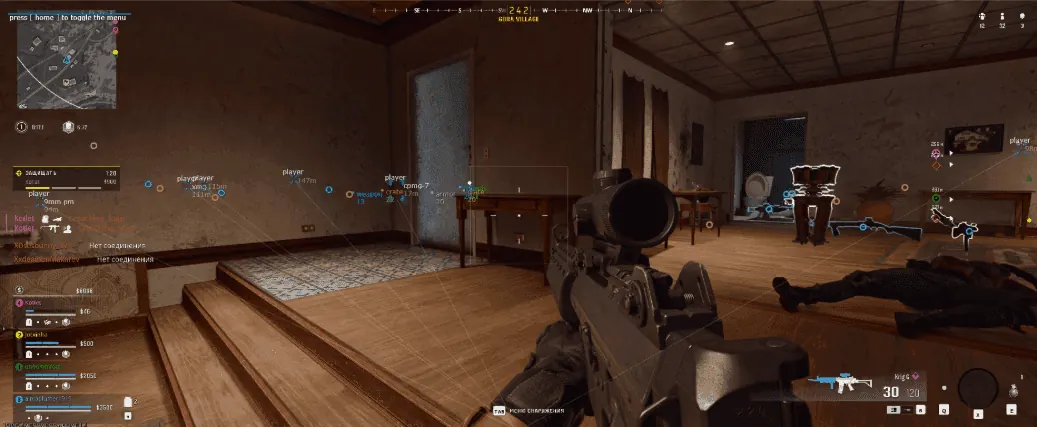
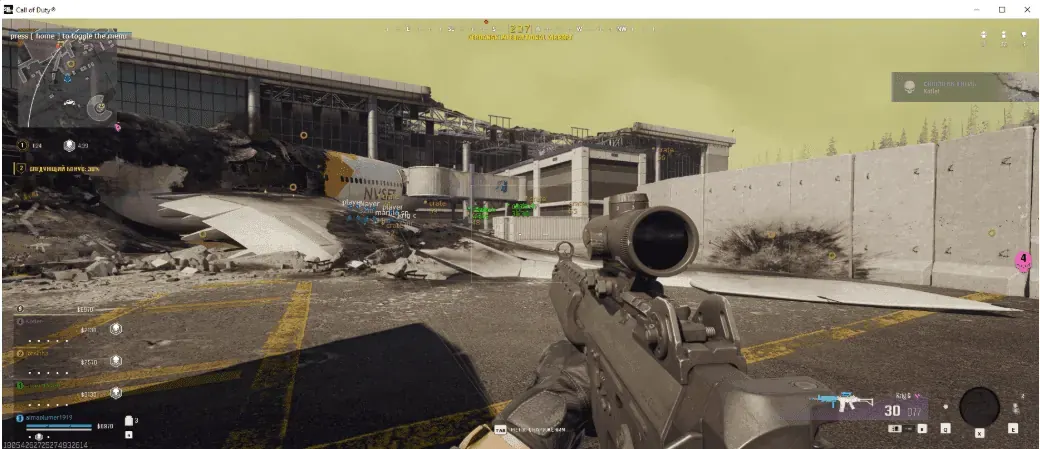
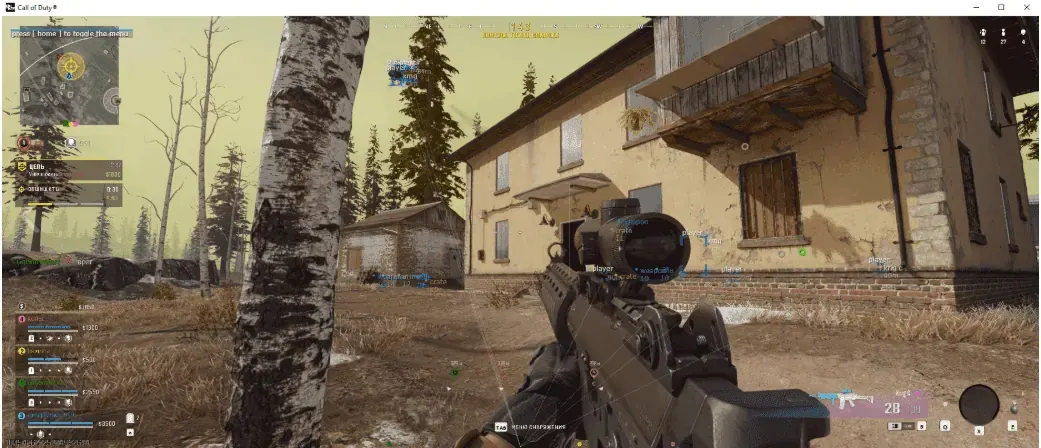
Features
AIMBOT
VISUAL
ESP
Choose a plan
Selected plan: 1 Day
$2.58
Secure payment, no fees
Description
AIMBOT / USE AT YOUR OWN RISK
Tab enable / Enable Aimbot
Auto switch / Select a body part to aim the aimbot at
Aim key / Set the aimbot activation key
Aim radius / Set the working radius of the aimbot
Aim smooth / Set the smoothness of the aimbot hover
VISUALISATION
Tab enable / Enable visual features
Show players / Display players
Show bounding box / Display 2D squares
Show snapline / Display lines
Show distance / Display the distance
Show name / Display names
Show current weapon / Display the current weapon
Show ground loot / Display loot on the ground
Show weapon loot / Display weapons
Show cash loot / Display money
Show armor loot / Display armor
Show crate loot / Display mailboxes
Ignore team / Esp will ignore your own team
Player distance limit / Set the display distance of players
Loot distance limit / Set the item display distance
CONFIGURATION
Save cpu / Save used resources, allows you to reduce the load, use this function on weak computers
Menu key / Set the menu key, by default the "HOME"key is used
Panic key / Set the emergency shutdown key for the entire cheat in the game
Battle mode key / Set the battle mode activation key, disables all unnecessary functions
Load config from clipboard / Save user settings
Save config to clipboard / Load custom settings
GRAPHICAL USER INTERFACE
Show aim radius
Show crosshair / Display a crosshair in the center of the monitor
* The functionality of the program can be changed at any time at the discretion of the developer, but we always try to keep the information up to date